For network engineers
One app for Aruba, Juniper and Mist
GreenCLI is a desktop app for your network work: a terminal for SSH, Telnet and serial, a config editor that checks your changes, an AI helper that never sees your passwords, and safe changes with a rollback timer.
What it does
Terminal
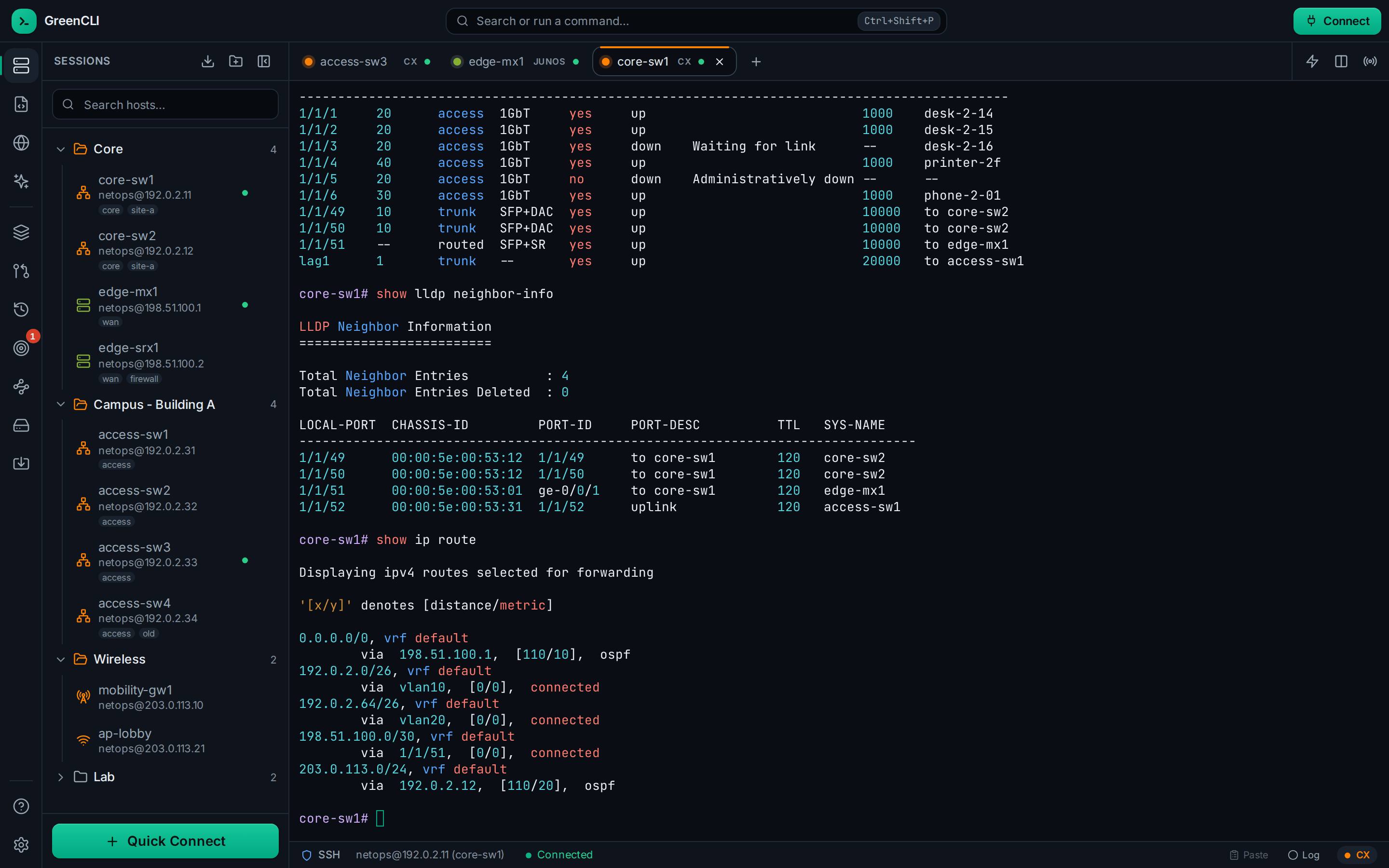
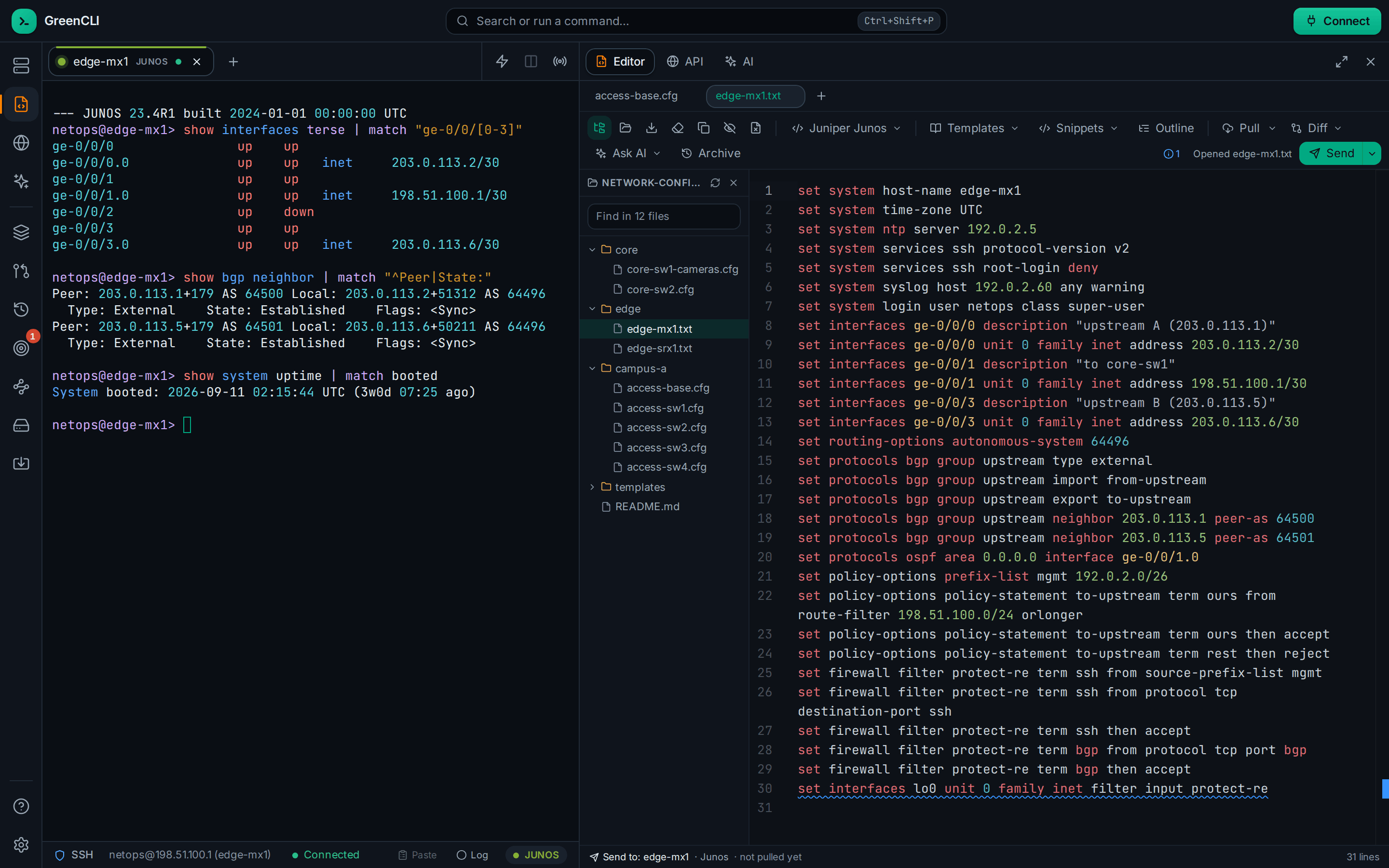
SSH, Telnet, serial and a local shell, in tabs. Jump hosts, split view and logging. Aruba and Junos output in color.
Config Editor
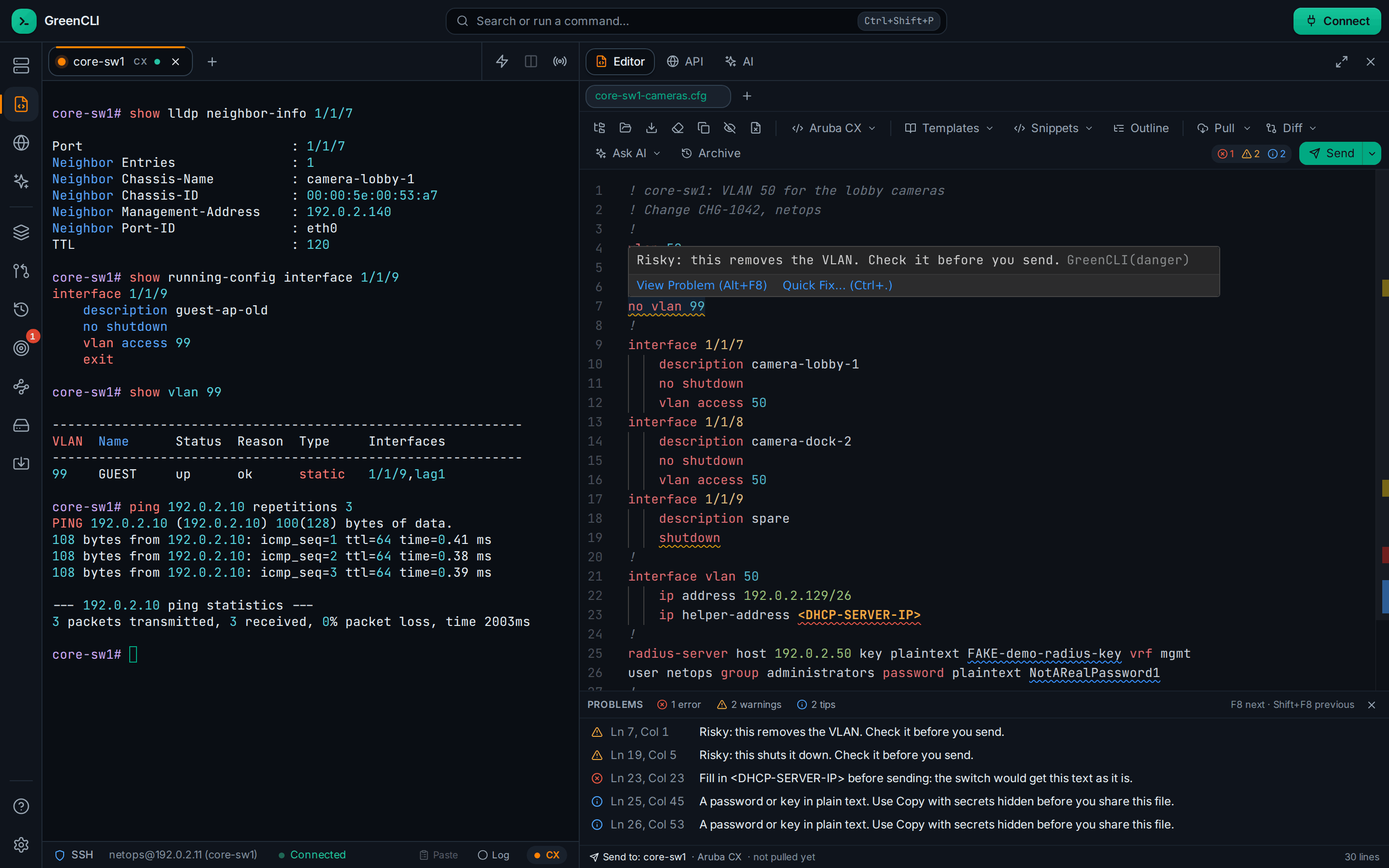
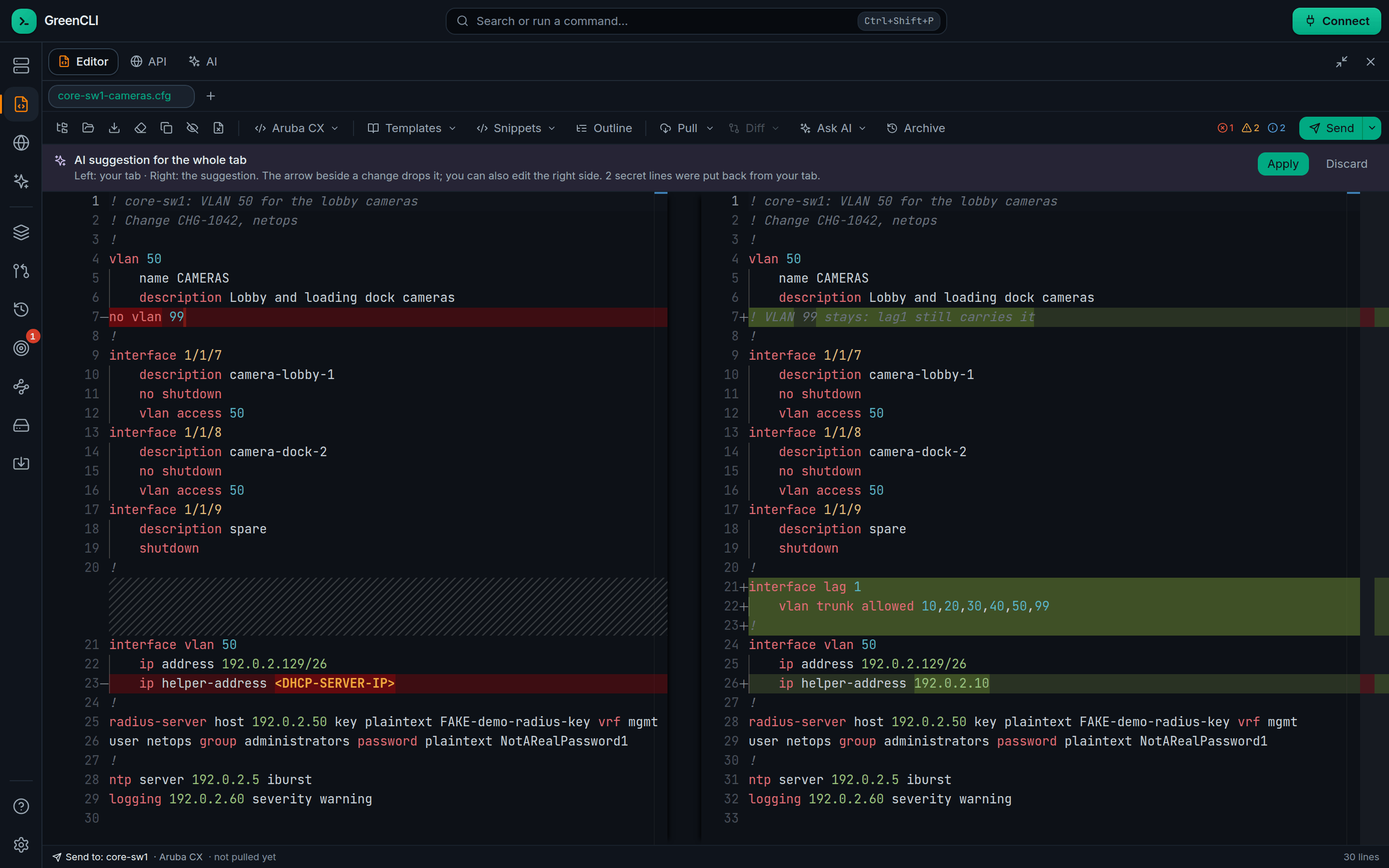
Risky lines get a squiggle. A Problems list, quick fixes and a diff before you send. Open a whole folder of configs.
Change Jobs
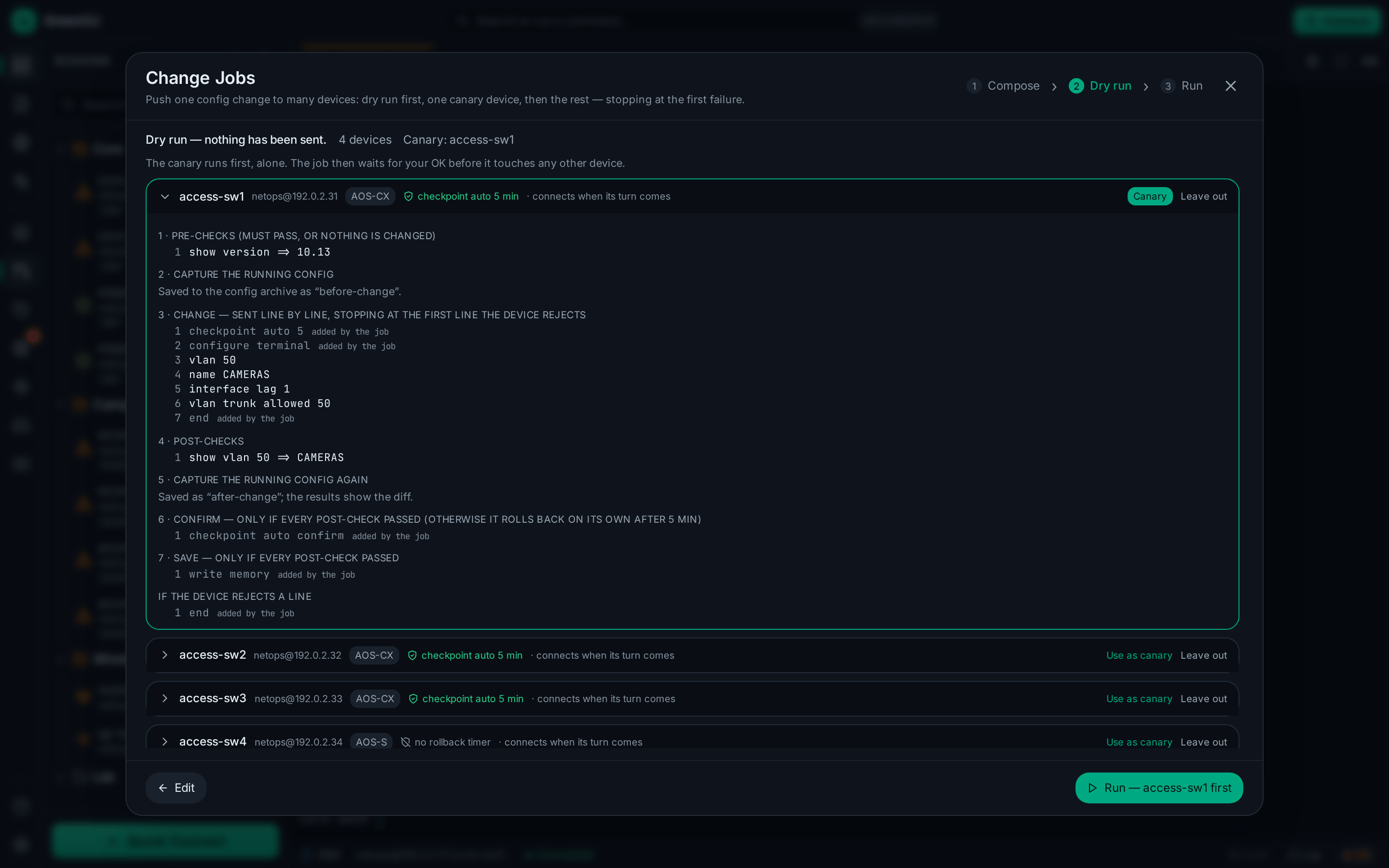
Send one change to many switches. A dry run first, then the switch's own rollback timer until you confirm.
AI helper
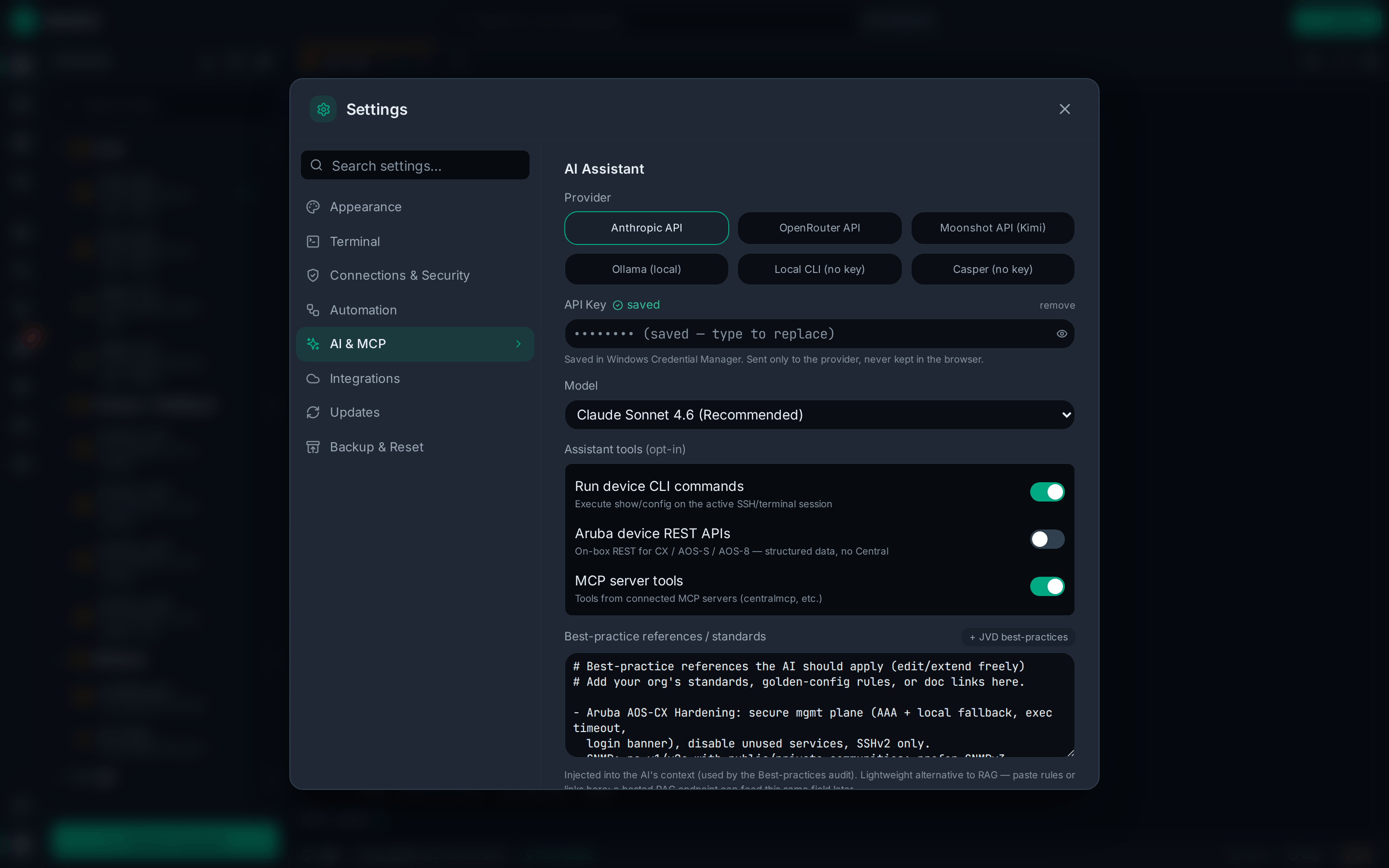
Use Claude, OpenRouter, Kimi, Ollama, a local CLI or Casper. Passwords and keys show as <secret hidden> before the AI sees the output.
MCP client
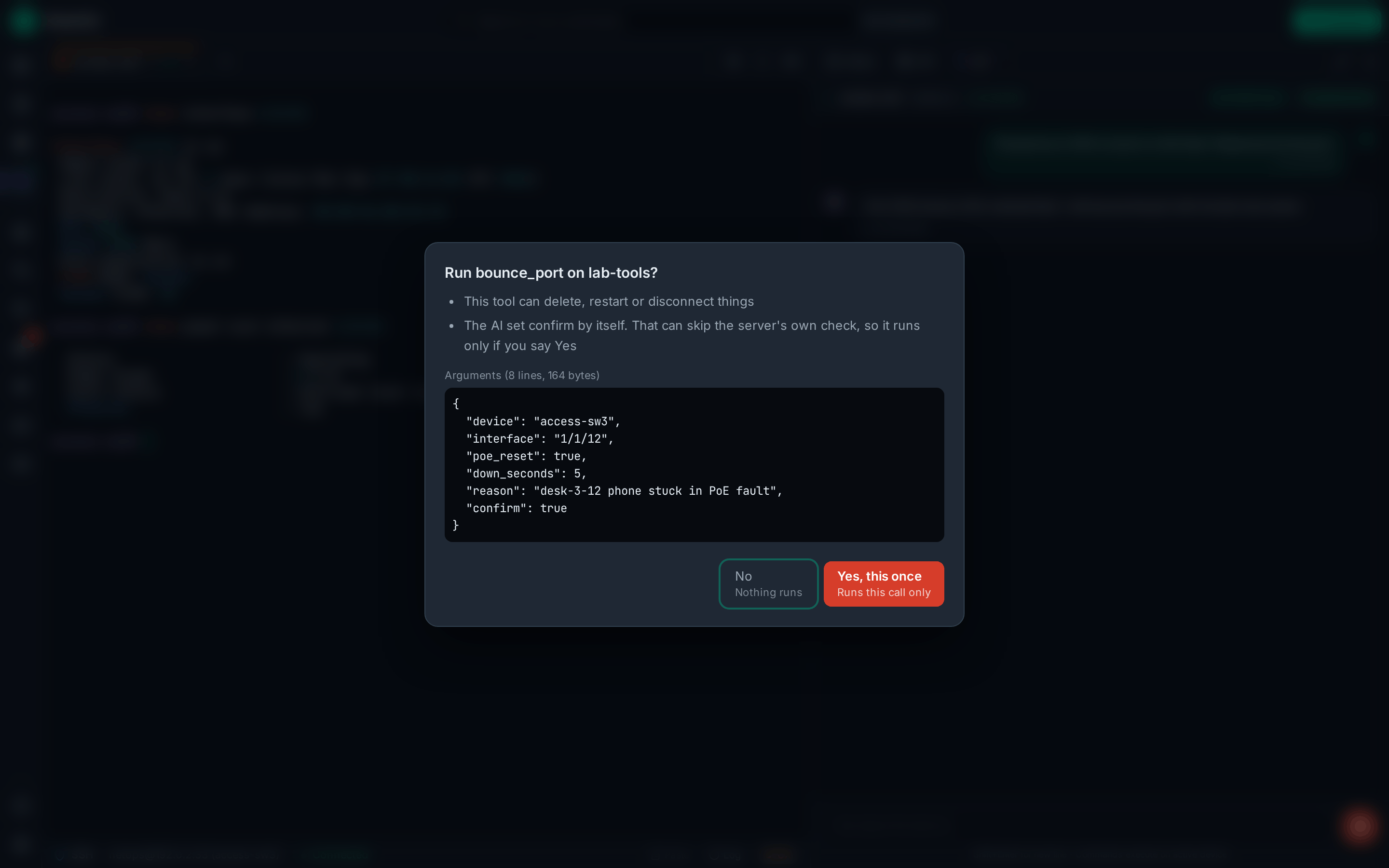
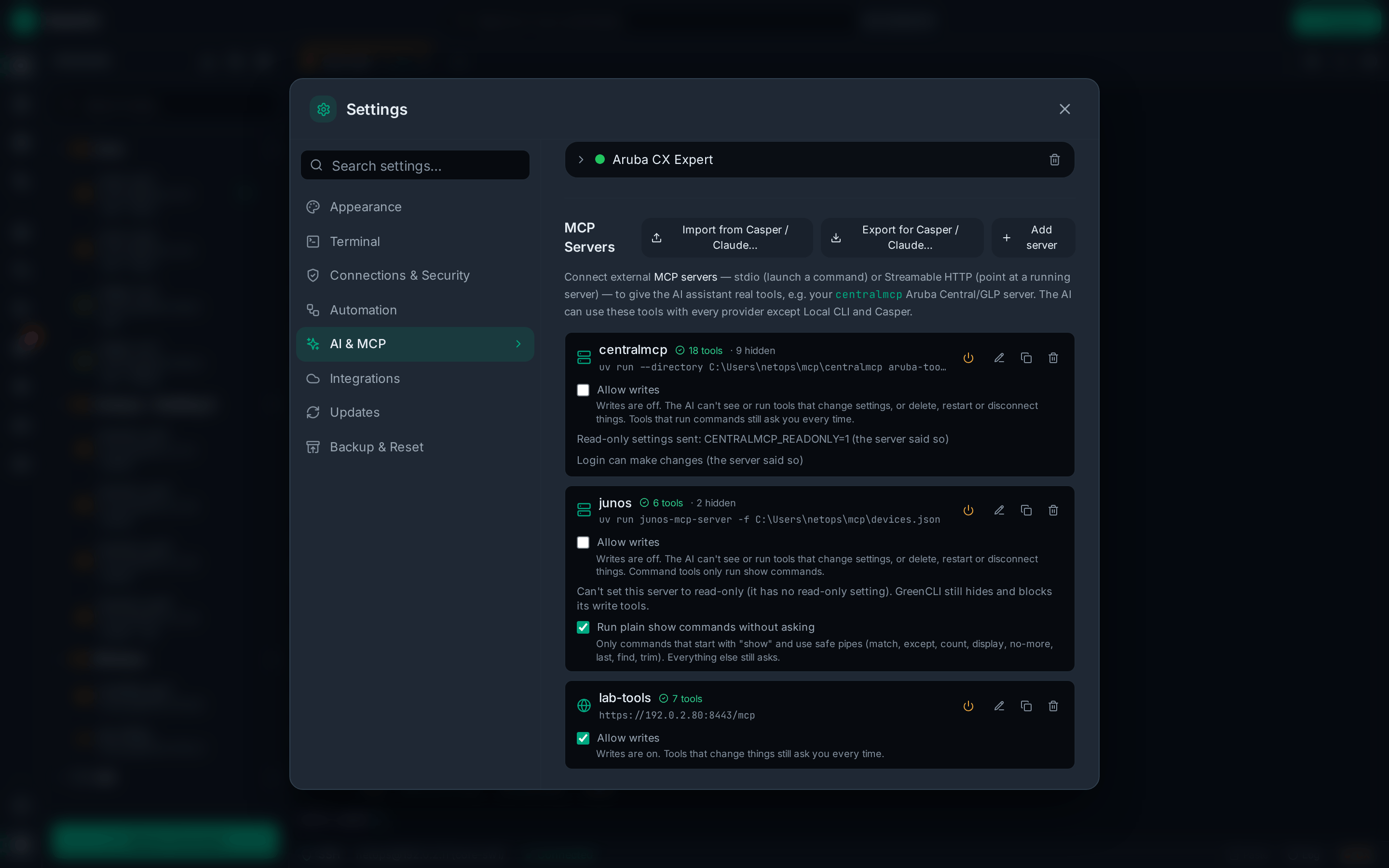
Give the AI tools from MCP servers. Anything that can change a device asks you first, and writes are off by default.
Encrypted vault
SSH passwords stay in a vault (AES-256). AI keys stay in macOS Keychain or Windows Credential Manager.
Network Intent
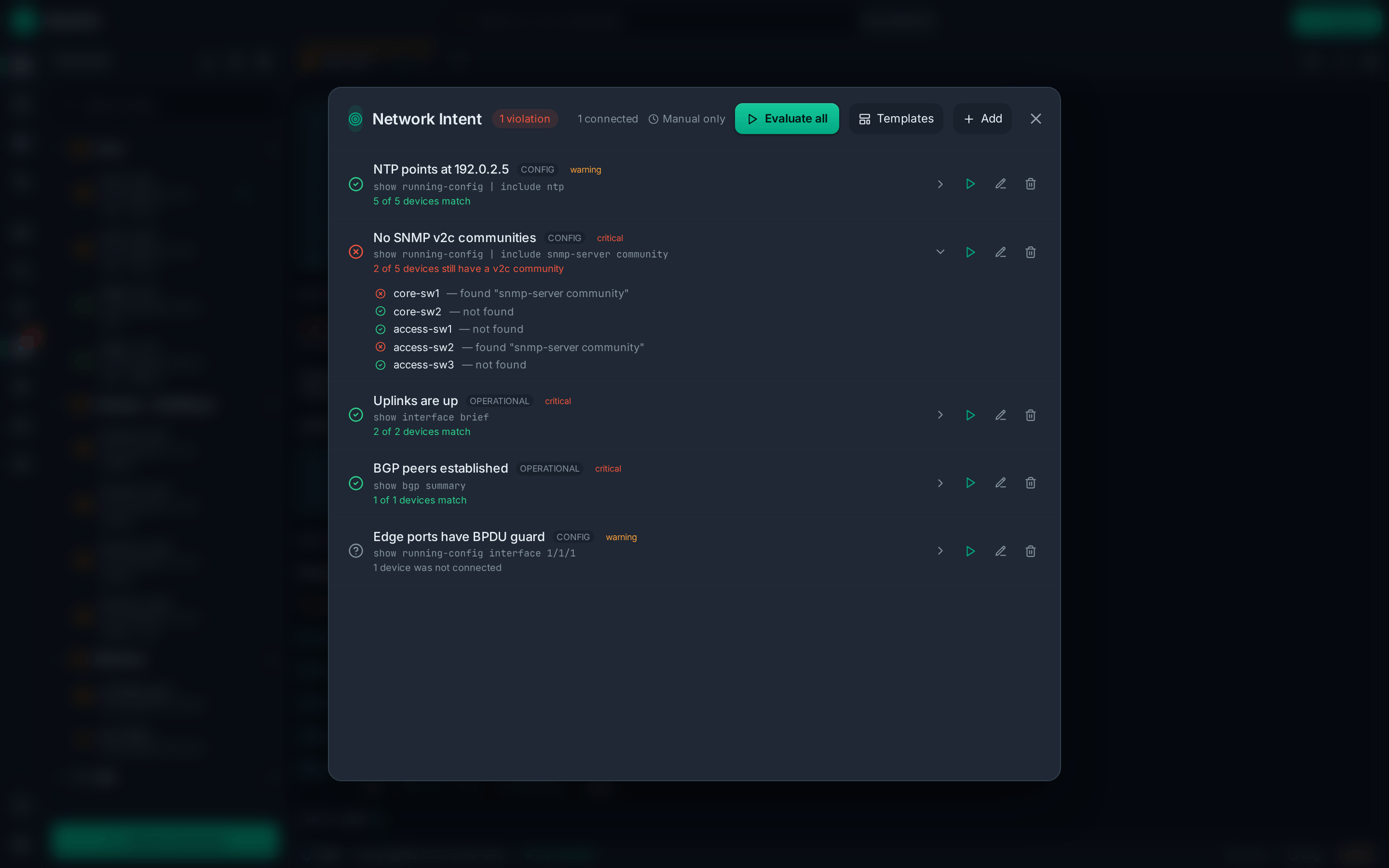
Write down what should be true, like "VLAN 50 is on every access switch", and check all your devices at once.
greencli-mcp
Let Casper or Claude Code read your saved devices and configs, with secrets hidden. It can't change anything.
Updates itself
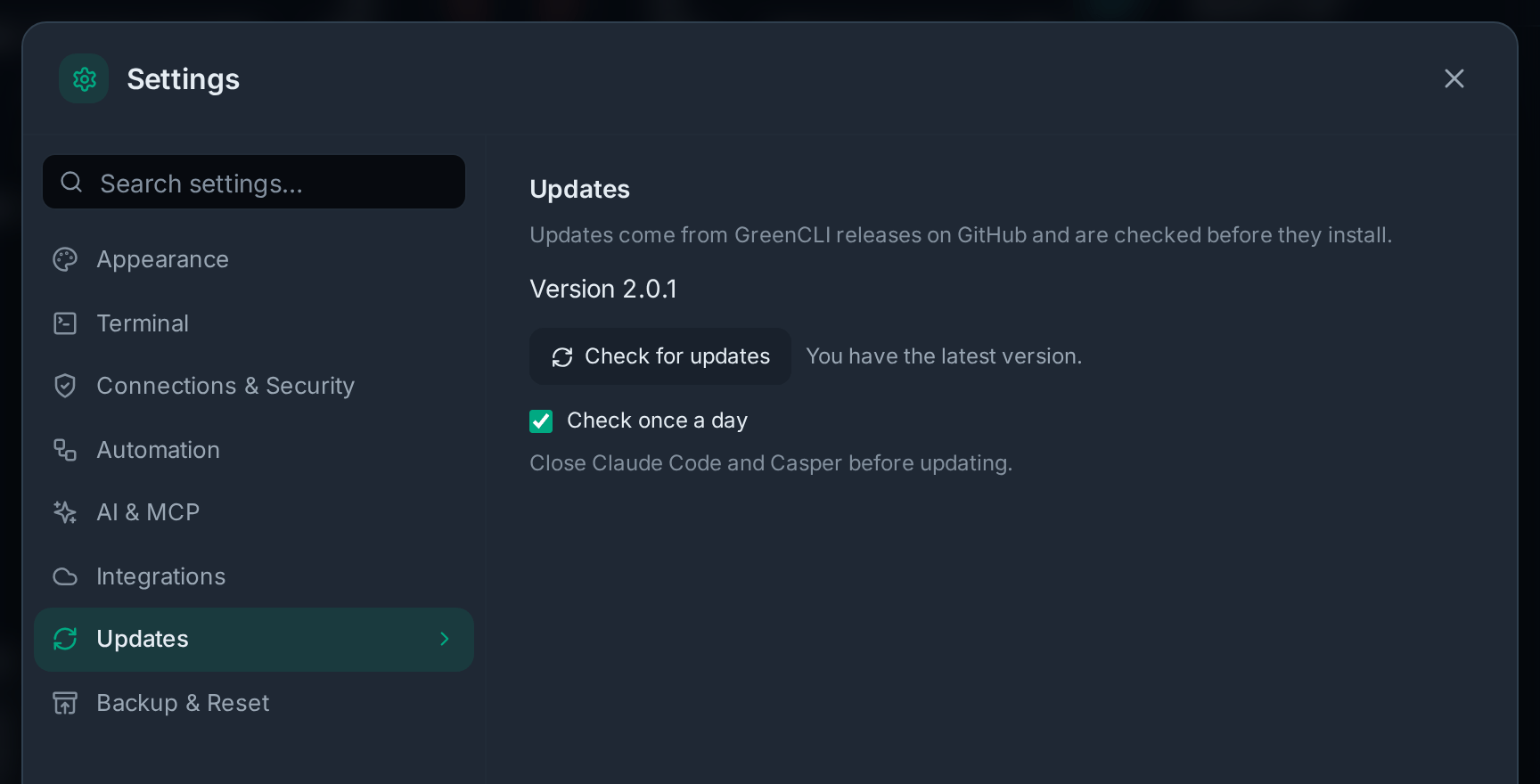
From 2.0 on, GreenCLI updates itself from its GitHub releases. Each update is checked against its signature first.
Download
GreenCLI 2.0.1, released October 3, 2026. What's new in 2.0.1
macOS
Apple Silicon (M1 and newer) · macOS 13.3 or newer
GreenCLI_2.0.1_aarch64.dmg · 13 MB
macOS
Intel · macOS 13.3 or newer
GreenCLI_2.0.1_x64.dmg · 14 MB
Windows
Windows 10 and 11 (64-bit)
GreenCLI_2.0.1_x64_en-US.msi · 13 MB
GreenCLI_2.0.1_x64-setup.exe · 10 MB
All downloads and older versions
- Needs: macOS 13.3 (Ventura) or newer, or Windows 10 or 11 (64-bit).
- Mac: open the .dmg and drag GreenCLI to Applications. Always open it from there, or it can't update itself.
- Which Mac do I have? Apple menu → About This Mac. "Chip: Apple M…" is Apple Silicon. "Processor: Intel" is Intel.
- First start: if macOS won't open it, go to System Settings → Privacy & Security and click Open Anyway. If Windows says "Windows protected your PC", click More info, then Run anyway.
- Windows: either file works. Close Claude Code and Casper before you update.
- Updates: from 2.0 on, GreenCLI updates itself (Settings → Updates). Coming from 1.9 or older? Install 2.0 by hand once.
- Linux: there is no download. You can build it yourself: see the guide.
Photos
Click a photo to see it full size. All of them use made-up demo data: no real devices, addresses or keys.
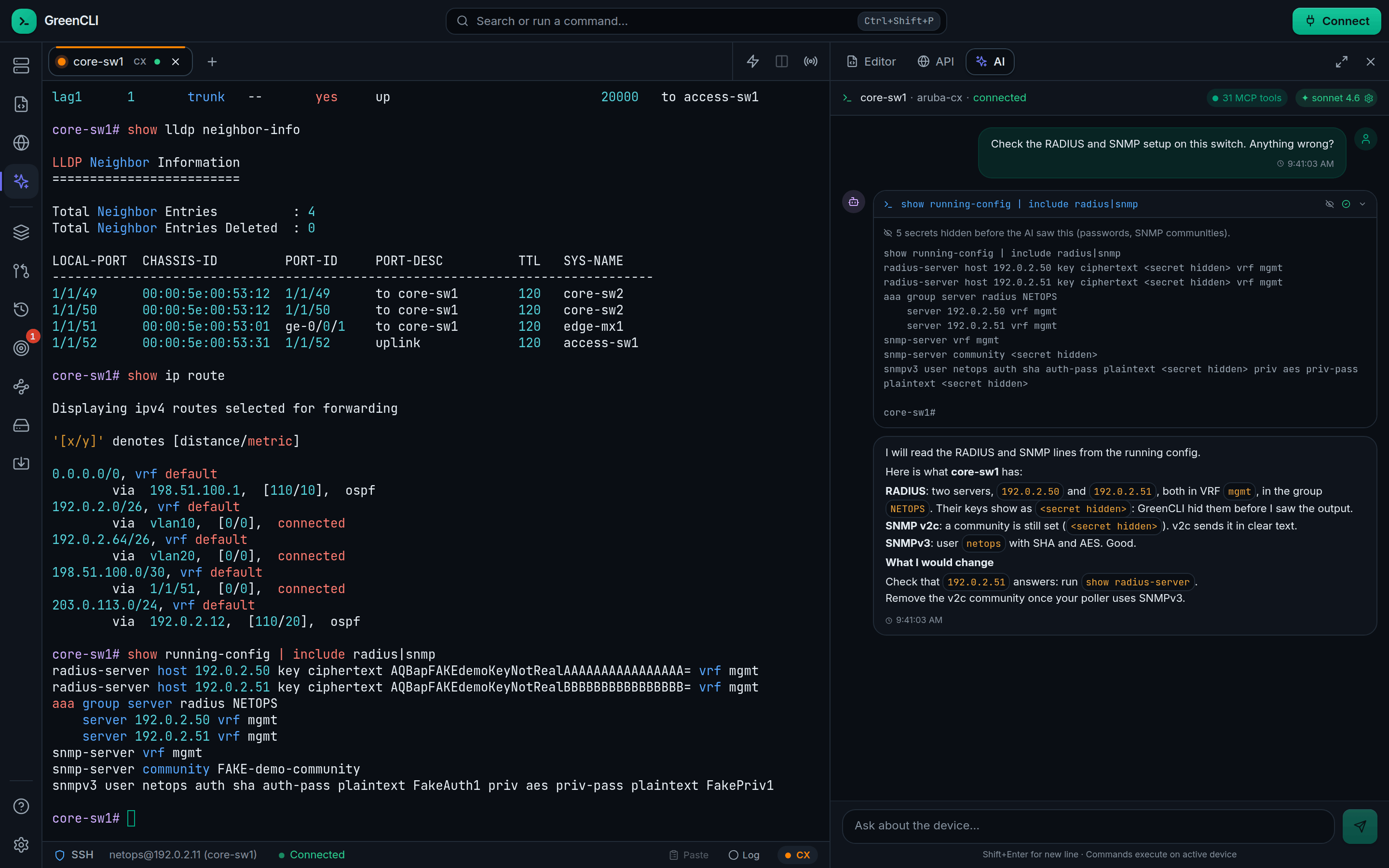
<secret hidden>.